SMM Panel Order Management Guide for Easy Tracking
Learn how to organize, monitor, and manage SMM panel orders efficiently. This guide covers order tracking, status updates, delivery monitoring, and practical tips to keep your social media services organized and easy to manage.

Taj Uddin Ahmed
Senior SEO Executive
SMM Panel Order Management Guide for Easy Tracking
Managing one social media order is usually simple. Managing dozens of orders for different posts, platforms, clients, quantities, and delivery speeds is where mistakes can begin.
SMM Panel order management is the process of organizing, monitoring, checking, and controlling orders from the moment they are submitted until they are completed, partially delivered, canceled, or otherwise resolved. A clear management process helps individual buyers, agencies, and resellers know exactly what is happening with their orders instead of repeatedly guessing about delivery.
What Is SMM Panel Order Management?
SMM panel order management covers everything that happens after you choose a service and submit an order. It includes checking the order ID, monitoring its status, reviewing the starting count, following delivery progress, identifying incomplete orders, and contacting support when something appears unusual.
Modern SMM panels commonly provide an account dashboard where customers can see order records and monitor fulfillment. Some platforms also connect orders to backend providers through APIs and update order information as delivery progresses.
In practical terms, good order management helps you answer five important questions:
- Which orders are currently active?
- Which orders have already completed?
- Is the delivered quantity matching the requested quantity?
- Does an order require support or further action?
- Are multiple client campaigns being managed without duplication?
Once these basic questions are visible, handling both individual and bulk campaigns becomes considerably easier.
How Does an SMM Panel Order Move From Placement to Completion?
Most orders follow a basic workflow, although the exact terminology and processing method can vary between panels and services.
First, the user selects a service, submits the required public URL or username, enters the quantity, and confirms the order. The panel then creates an order record, usually with a unique order ID that can be used to identify the transaction later.
From there, the order may remain pending briefly, move into processing or in-progress status, and eventually become completed. If the full requested quantity cannot be delivered, the panel may instead mark it partial or use another status defined by its own system.
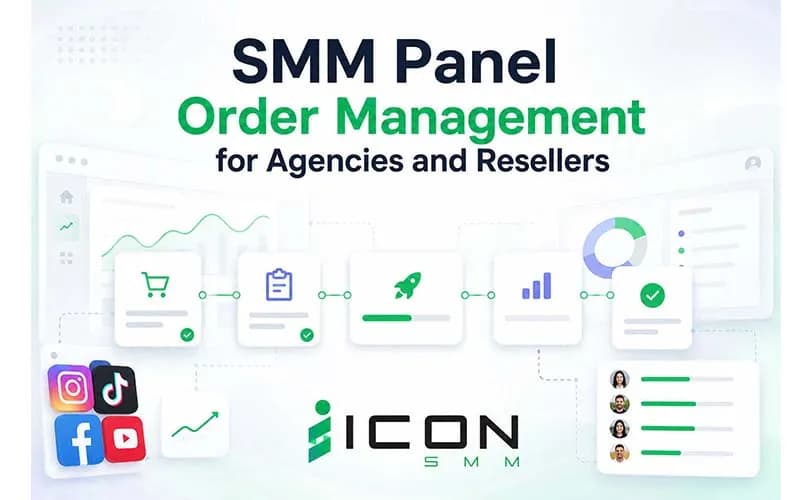
A simple workflow can look like this:
Understanding these stages makes SMM Panel order tracking much more useful because you are not simply looking at a label. You are interpreting what that label means for the next action you should take.
SMM Panel Order Status Meaning Explained in Simple Terms
Order statuses are one of the biggest sources of confusion for new panel users. A status may stay unchanged for some time even though the order has already entered a provider queue, so it is important to understand the purpose of each label rather than assuming that every delay is a failure.
Exact definitions can differ from one SMM panel to another, but the following meanings are commonly used.
Pending
Pending normally means that an order has been received but delivery has not started yet.
This can happen when an order is waiting in a queue, undergoing an automated check, or waiting for the connected service provider to accept it. If the estimated start time has not passed, submitting the same order again may create unnecessary duplicate activity.
Processing or In Progress
Processing usually indicates that the system is working on the order or has sent it into the fulfillment process.
At this stage, changing the link, making the target private, deleting the post, or placing overlapping orders can make accurate tracking more difficult. It is usually better to keep the target accessible until the service reaches its final status.
Completed
Completed means the panel considers the requested service delivered according to its own tracking system.
Users should still compare the final result with the starting count and requested quantity. This becomes particularly useful when managing larger campaigns such as Facebook video promotion, where several pieces of content may receive different quantities of views or engagement.
Partial
A partial status means that the complete requested quantity was not fulfilled. For example, if 5,000 units were ordered and only part of the order could be delivered, the system may close the order as partial rather than leaving it permanently in progress. What happens to the undelivered portion depends on the panel's service terms, pricing system, and balance policy.
We will look at partial orders more closely later because they require a different response from normal completed orders.
How to Manage Multiple Orders in an SMM Panel Without Losing Control

Managing several orders becomes difficult when users rely only on memory. The problem becomes even more noticeable when the same social account has multiple campaigns running at the same time.
A better approach is to treat each order as a small record with its own objective, target, quantity, and current status.
1. Keep the Order ID for Every Purchase
The order ID should be the first thing you record. If something goes wrong, support teams usually need a way to identify the specific order.
An agency managing twenty client campaigns cannot efficiently describe an issue as “the Facebook order from yesterday,” especially when several similar orders were placed on the same day.
2. Group Orders by Client or Campaign
Do not mix unrelated campaigns together when reviewing performance. For example, one business may be working on Facebook business page promotion, while another client may only need engagement for several individual posts.
Keeping those campaigns separate helps you identify costs, delivery progress, and problems much faster.
A basic tracking sheet can include:
Even if the panel already has an order history, this additional record is useful for agencies that need client-level reporting.
3. Avoid Unnecessary Duplicate Orders
Before submitting another order for the same target, check whether the earlier order is still active.
Overlapping orders can make it difficult to determine which service delivered which quantity. If additional engagement is genuinely needed, waiting until the first order reaches a clear status can make reporting much cleaner.
4. Match the Service to the Campaign Goal
Order management starts before the order is actually placed.
A campaign designed to build page authority should not be managed exactly like a campaign focused on post discussions or video visibility. Someone researching how to get Facebook page likes is pursuing a different result from someone ordering comments for a particular promotional post. Once the campaign goal is clear, selecting quantities and tracking results becomes much more meaningful.
Why Is My SMM Panel Order Stuck in Processing?
Seeing an order remain in processing can be frustrating, particularly when a campaign is time-sensitive. However, processing does not automatically mean that the order has failed.
Several factors can affect how quickly an order begins or finishes.
A Large Order May Require More Time
A larger quantity can naturally require a longer delivery period than a small test order.
Some services are also designed for gradual delivery rather than immediate completion. Before assuming something is wrong, compare the elapsed time with the service description and expected delivery information provided when the order was placed.
The Service May Have a Queue
A high number of orders may temporarily increase processing time.
This is particularly relevant when a popular service receives many orders simultaneously. Instead of continuously creating new orders, keep the original order ID and monitor the existing request.
The Target Link May Have Changed
The service usually depends on the target remaining accessible.
If a post was removed, a username changed, a page became private, or the wrong URL was submitted, delivery may be affected. Checking the target is therefore one of the first troubleshooting steps.
An Active Campaign May Be Interfering With Tracking
Running multiple similar services on one target at the same time can make delivery measurement more complicated.
This matters when a business is coordinating a wider Facebook marketing service campaign that includes page activity, video engagement, comments, and other promotional work. Keeping a clear schedule between individual orders makes both monitoring and reporting easier.
If the expected delivery window has clearly passed, the next practical step is to contact the panel's support team with the exact order ID instead of repeatedly resubmitting the same request.
If you want to take service from Iconsmm, you can follow the Contact Us page.
What Does Partial Order Mean in SMM Panel?
A partial order means that only part of the requested service was successfully delivered before the order was closed.
Suppose you order 10,000 units and the order reaches 7,000 before the service can no longer continue. The panel may mark the transaction as partial rather than completed.
The important point is that partial does not mean zero delivery.
You should check:
- The original starting count.
- The quantity you requested.
- The final delivered count.
- The amount charged after the adjustment.
- Whether the panel returned value for the undelivered portion according to its policy.
Different panels can handle partial transactions differently, so their terms and order-history calculations should be treated as the final reference for billing.
This distinction becomes especially valuable for agencies because a client report should show what was actually delivered rather than simply labeling every closed order as completed.
How to Cancel an SMM Panel Order
Cancellation is usually more limited than many first-time users expect. An order that has not started may sometimes be cancelable, while an order already processing or actively delivering may not be. The actual option depends on the panel, service provider, and service terms.
Before attempting cancellation, check three things:
- Is there a cancel button beside the order?
- What is the current status?
- Has delivery already started?
If no cancellation option is available, sending the order ID to support is more useful than placing a replacement order immediately.
Users should also verify links and quantities before submission. A few seconds spent checking these details can prevent much more complicated cancellation requests later.
SMM Panel Bulk Order Management for High-Volume Campaigns
SMM Panel bulk order management becomes important when dozens or hundreds of orders need to be handled within a short period.
Instead of treating every order independently, bulk users need a repeatable system for checking service IDs, links, quantities, order IDs, balances, and completion status.
This is especially useful for agencies that manage several pieces of content at once. A business might run a page-growth campaign while separately using a Facebook comments service for important promotional posts. Keeping those orders grouped by campaign prevents unrelated services from becoming mixed together.
A Simple Bulk-Order Workflow
A practical bulk workflow can follow five stages:
- Prepare the targets: Confirm every page, profile, post, or video URL.
- Match the services: Assign the correct service to each target.
- Check quantities: Make sure the order volume fits the campaign requirement.
- Submit and record: Store every generated order ID.
- Review final statuses: Separate completed, partial, canceled, and unresolved orders.
The objective is not simply to submit orders faster. It is to make large volumes of orders easier to audit later.
How SMM Panel API Order Management Helps Agencies and Resellers
Manual order placement works well at a small scale. As order volume grows, however, agencies and resellers may need automation to reduce repetitive work.
SMM Panel API order management can connect a reseller's website, dashboard, or order system with a provider's panel. Current panel implementations advertise API-based order placement, automated fulfillment, real-time tracking, and reseller workflows, although the exact functions depend on the provider.
An API workflow may allow a reseller system to:
- Send new orders automatically.
- Retrieve an order's current status.
- Check available services.
- Review account balance.
- Request eligible refills or other supported actions.
- Synchronize client orders with provider records.
The main advantage is consistency. Instead of staff members copying hundreds of URLs and quantities manually, a properly configured system can pass structured order information between platforms.
Automation still requires monitoring, however. Agencies should regularly check failed requests, incorrect service mappings, discontinued services, unexpected status changes, and balance levels.
SMM Panel Order Management for Agencies and Resellers
Agencies have a different problem from ordinary users: they are not just managing orders; they are managing customer expectations.
A client may not care which provider processed an order. They care about whether the campaign started on time, whether the expected quantity was delivered, and whether someone can explain a delay.
That makes SMM Panel order management for agencies and resellers partly an operational process and partly a customer-service process.
Keep Client Records Separate
Every client should have a clear campaign record. This can contain the service purchased, target URL, order ID, cost, quantity, expected delivery range, current status, and any support ticket connected to the order.
Check Orders Before Sending Client Reports
Do not report based only on the status label. Compare the starting count, current result, and expected quantity whenever possible. This helps prevent a partial order from being accidentally reported as fully delivered.
Build Campaigns Around Marketing Objectives
Individual SMM services should support a broader social media plan rather than become the entire strategy. For example, Facebook page promotion can involve content consistency, audience engagement, page optimization, and promotional activity. Order management should therefore connect each purchased service to a clear campaign purpose.
Create a Process for Problems
Agencies should decide in advance what happens when an order becomes delayed, partial, canceled, or otherwise unusual.
A simple escalation process can be:
Check the link → verify the order status → compare the delivery window → record the issue → contact support with the order ID → update the client when necessary.
Having this workflow prevents team members from improvising different solutions for the same problem.
Best Practices for Better SMM Panel Order Tracking
Tracking should help you make decisions rather than simply tell you that an order exists.
A few habits can make the process more reliable:
- Verify the target URL before ordering.
- Record the starting count when relevant.
- Keep the order ID accessible.
- Check the service's expected start and completion information.
- Avoid unnecessary overlapping orders.
- Keep pages or posts publicly accessible when the service requires it.
- Separate client campaigns in your records.
- Compare partial and completed orders before calculating campaign results.
- Contact support with specific order IDs and clear issue descriptions.
- Review API logs when automated orders do not behave as expected.
These practices become increasingly valuable as your number of daily orders grows.
A Simple Order Management Checklist
Before placing the order:
- Confirm the correct service.
- Confirm the target URL.
- Confirm the quantity.
- Check service instructions.
- Check available balance.
After placing the order:
- Save the order ID.
- Record the starting count if needed.
- Monitor the status.
- Avoid creating unnecessary duplicates.
- Keep the target accessible.
After the order closes:
- Check the final quantity.
- Confirm whether it is completed, partial, or canceled.
- Review any balance adjustment.
- Record the result for the client or campaign.
- Escalate unresolved problems with the order ID.
A process this simple can prevent many of the mistakes that make high-volume panel use difficult.
Final Words
Managing orders effectively becomes more important as the number of campaigns, clients, and social platforms increases. A clear system for checking order IDs, understanding statuses, tracking quantities, handling partial delivery, and escalating delays can prevent small operational problems from becoming larger client issues.
For individuals, the process may be as simple as checking one dashboard. For agencies and resellers, it may involve spreadsheets, client records, bulk workflows, support procedures, and API automation. In either case, successful SMM Panel order management comes down to knowing what was ordered, what has been delivered, what still needs attention, and what action should happen next.
Frequently Asked Questions About SMM Panel Orders
What is SMM Panel order management?
SMM panel order management is the process of organizing, tracking, checking, and resolving social media service orders from submission through their final status. It includes monitoring order IDs, delivery quantities, status changes, partial orders, cancellations, and client records.
How can I track an SMM Panel order?
Open your panel's order history or order dashboard and locate the relevant order ID. Check its current status, starting count, remaining quantity, and other available delivery information. The exact tracking fields vary between panels.
Why is my SMM Panel order still pending?
An order may remain pending because it is waiting in a processing queue, has not yet been accepted by the connected service, or has not reached its expected start time. Check the service information before submitting a duplicate order.
What does partial order mean in an SMM Panel?
Partial means that some of the requested quantity was delivered but the entire order could not be completed. Check the final quantity and the panel's billing or balance policy to understand how the undelivered portion is handled.
Can I cancel an SMM Panel order after placing it?
It depends on the panel and the order status. Some services may allow cancellation before processing begins, while an order that has already started may no longer be cancelable. Check for a cancel option or contact support with the order ID.
How should agencies manage multiple SMM Panel orders?
Agencies should separate orders by client, record every order ID, track campaign goals, monitor final quantities, and maintain a clear process for delayed or partial orders. A spreadsheet, CRM, or integrated API system can make high-volume management easier.
What is the difference between manual and API order management?
Manual management requires a user to place and check orders through the panel dashboard. API order management allows compatible systems to exchange structured order information automatically, which can be useful for resellers and agencies handling larger order volumes.